Features
Membership & Onboarding
Three ways to bring members in, one structured path to active.
Every cooperative starts with its members. SACCO360 supports the different ways SACCOs have been recruiting: a teller manually onboarding a walk-in, a manager bulk-importing an existing register, or prospective members self-onboarding through a link you share on WhatsApp. Whichever path a member goes through, the effort is less and all their information is captured accurately from the start.
- Three enrollment paths
- Shareable invite links
- Step-by-step onboarding checklist
- Configurable KYC requirements
- Manager sign-off before activation
- 1Bulk-import an existing register
- 2Configure your onboarding policy
- 3Enrol a walk-in at the counter
- 4Let members apply themselves
- 5Invite a specific member to claim their record
- 6Member eligibility check
- 7Approve and unlock transacting
Bulk-import an existing register
Migrating from paper or a spreadsheet? Upload a CSV of dozens or hundreds of members at once. Before anything is committed, SACCO360 previews every row and classifies it as new, a duplicate (by National ID or phone), or invalid, with a specific reason for each, so you commit only the rows you intend to. Re-uploading the same file is idempotent: no accidental duplicates.
Configure your onboarding policy
This is a one-time setup that defines the rules for everyone you onboard afterwards. Decide whether self-application is allowed, whether proof of residence or a recommending member is required, and set the registration fee, initial share allocation, and expected monthly contribution. You only return to these settings when your policy itself changes, and existing members keep the terms they joined under.
Enrol a walk-in at the counter
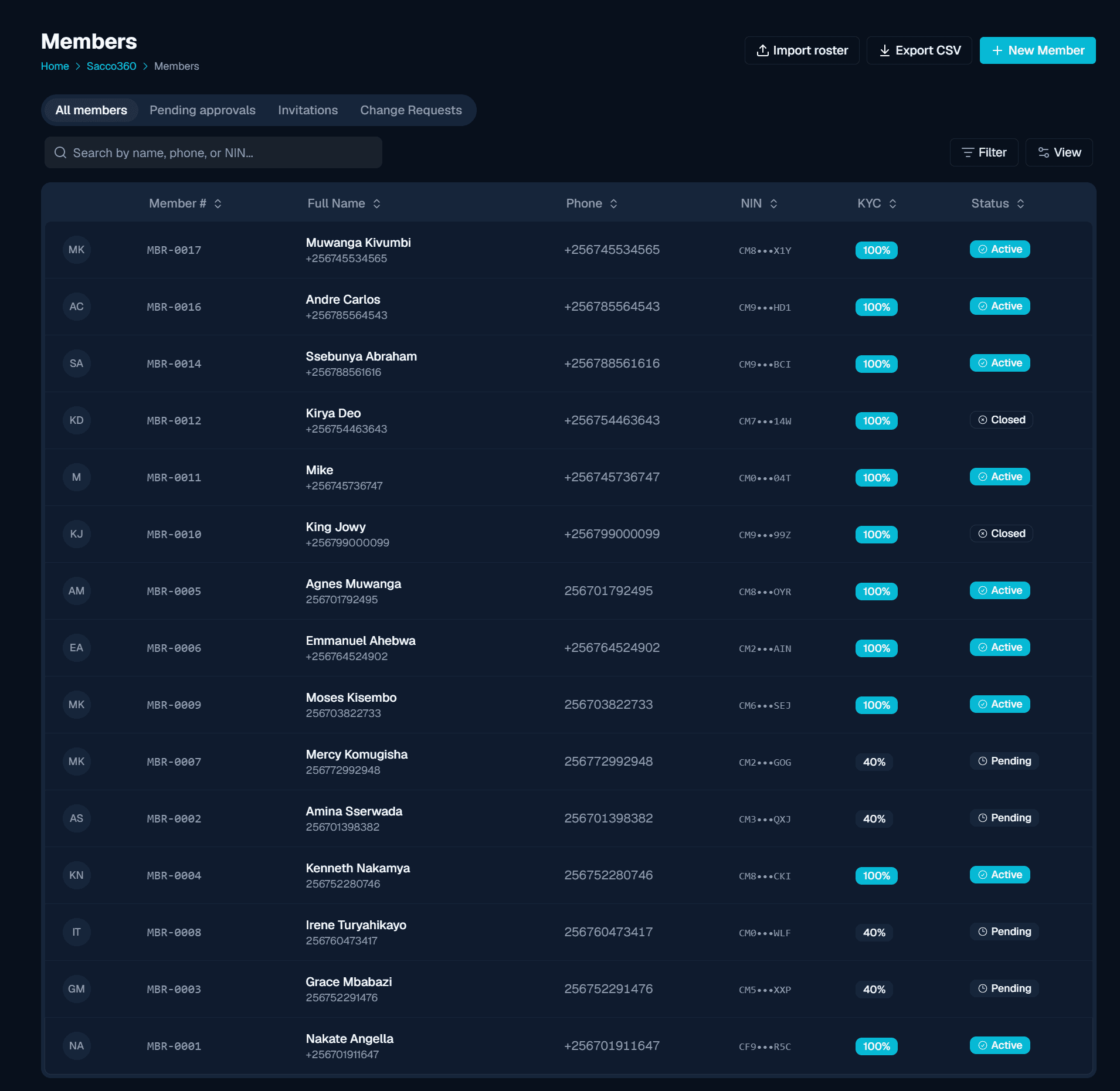
The everyday path: someone walks into the branch and a teller captures their details, full name, National ID, phone, and optional profile fields, in a single form. The member is created with a Pending status and an auto-assigned member number like MBR-0001. Duplicate National IDs and phone numbers are rejected on the spot, so the register stays clean.
Let members apply themselves
Generate a shareable invitation link, with an optional expiry and a maximum number of uses, and share it by WhatsApp, email, or a printed QR code. Prospective members open it without logging in, check whether they already exist, and either claim their record or apply from scratch, creating their own login in the process. Perfect for recruitment drives where staff should not be typing anything.
Invite a specific member to claim their record
For members created manually or by import, the manager issues a personal invitation that emails them a secure link. They confirm their identity, create a login, and their member record is linked to their account, turning a paper entry into a real, self-service member without re-keying their details.
Member eligibility check
With your policy set, every individual member works through their own checklist before they can be approved: initial payment, standing order, beneficiary nomination, KYC verification, and member-card issue. Staff tick each item off as it is done (or skip it with a note), and the record shows progress at a glance. A member cannot be approved until their checklist is fully resolved, so no one slips through half-set-up.
Approve and unlock transacting
Once the checklist is complete, the manager approves the member: their status flips from Pending to Active, the checklist is frozen for the record, and a welcome notification goes out. Activation is the moment the cooperative can actually do business with them: open accounts, take deposits, and consider them for loans and guarantees.